Need to Edit or Sign a PDF Right Now?
Don’t enter your credit card for a “free trial” or let commercial software stamp a watermark across your contract. With the Free PDF Editor on UCD Tools (by UCDREAMS), you can type text, draw digital signatures, highlight paragraphs, redact sensitive numbers, and organize pages directly inside your browser — completely free, with zero sign-up and total privacy.
If you search communities like Reddit (r/software, r/productivity, r/freelance), you will see one question asked almost daily:
“Why does every online PDF editor hold your document hostage? You spend 15 minutes filling out a 10-page government form or signing a freelance contract, click ‘Download’, and get hit with a \$19/month subscription paywall or a massive watermark stamped across every page! Is there a truly free PDF editor with no catch?”
The frustration is genuine. Commercial PDF software companies rely on aggressive freemium traps because they know people are often in a rush to sign a lease, submit a tax form, or return an agreement.
At UCDREAMS (UCD), we built a dedicated, zero-paywall document suite under UCD Tools to solve this exact problem. In this guide, we walk you through how to edit, sign, merge, and unlock any PDF document online for free — plus the privacy-first technology that makes it possible.
How to Edit and Sign a PDF for Free (Step-by-Step)
You do not need to install heavy desktop software or register an account. Here is how to complete your paperwork in under a minute using UCD Tools:
Step 1: Open the PDF Editor
Visit https://ucdreams.com/tools/pdf-editor/ on any desktop browser, iPhone, iPad, or Android device.
Step 2: Drag and Drop Your PDF Document
Drag your PDF file into the dropzone or click “Choose File”. The document opens instantly in high resolution with thumbnail page previews.
Step 3: Make Your Edits
- Add New Text: Click the Text Tool, click anywhere on the page, and start typing. Customize font family, size, line height, and color to match existing document typography.
- Draw or Insert Digital Signatures: Click the Signature Tool to draw your signature with your mouse/touchscreen, type your name in a handwritten script font, or upload a clean signature image. Place and scale it over the signature line.
- Highlight & Annotate: Select the Highlighter Tool to mark important contract clauses in yellow, green, or blue.
- Insert Images & Stamps: Place company logos, official seals, passport photos, or checkmarks directly onto any page.
- Redact / Whiteout: Draw solid white or black rectangles over private banking details or social security numbers before sending.
- Reorganize & Rotate Pages: Delete unnecessary pages, rotate sideways scans, or rearrange page order using the thumbnail panel.
Step 4: Download Clean PDF (Zero Watermarks)
Click the “Export / Download PDF” button. Your finalized, high-fidelity PDF downloads immediately to your computer or phone — 100% free, with zero branding stamps or hidden fees.
The Technical Architecture: Why UCD PDF Editor is 100% Free and Private
Why do commercial PDF websites charge \$15 to \$30 per month, while UCD Tools offers it completely free? The answer comes down to Client-Side WebAssembly Architecture vs. Server-Side Cloud Processing.
1. Traditional Server-Side Processing (The Legacy Model)
When you use standard online PDF websites:
- Your sensitive document (containing your legal name, signature, financial records, or client agreements) is transmitted across the internet to a third-party cloud server.
- The server runs expensive enterprise software to parse and modify the file.
- Because the company incurs heavy server bandwidth and cloud compute bills for every user, they force users into subscriptions or sell data to ad brokers.
2. UCD Client-Side WebAssembly & JavaScript Engine (The Modern Model)
UCD PDF Editor is built using cutting-edge client-side technologies — leveraging WebAssembly (Wasm), pdf-lib, and PDF.js:
↓ (Streamed into Browser RAM)
[In-Browser PDF.js Engine & WebAssembly Canvas Renderer]
↓ (User Adds Text, Vectors, Annotations, Signatures)
[Client-Side Binary Recompilation via pdf-lib]
↓ (Direct Blob Download)
[Clean PDF Saved to Local Storage — 0 Bytes Transmitted to Servers!]
Because all vector rendering, font subsetting, and binary stream reconstruction occur entirely inside your local browser memory:
- Zero Server Storage & Maximum Privacy: Your confidential contracts and financial records never touch any remote database or third-party server.
- Zero Cloud Overhead: UCDREAMS incurs minimal server compute costs, allowing us to keep the entire platform 100% free for students, freelancers, and businesses worldwide.
- Instant Processing: There are no upload queues or processing waiting rooms; operations happen at the raw speed of your device’s CPU.
Comparison: UCD PDF Editor vs. Paid Commercial SaaS
| Feature / Specification | UCD PDF Editor (UCDREAMS) | Adobe Acrobat Pro | Smallpdf / iLovePDF |
|---|---|---|---|
| Cost | 100% Free Forever ($0) | $19.99 / month | $12.00 / month |
| Credit Card Required | Never — No Billing | Required for Free Trial | Required for Pro Features |
| Watermarks on Exports | Zero Watermarks | No (Paid) | Watermarks on some tools |
| Daily Document Limits | Unlimited Tasks | Unlimited (Paid) | 1 to 2 tasks per day |
| Data Privacy & Storage | 100% Client-Side in RAM | Uploaded to Adobe Cloud | Stored on server for hours |
| Mandatory Account Sign-Up | None — Guest Access | Mandatory Adobe ID | Email required for downloads |
More Essential Free Document Tools on UCD Tools
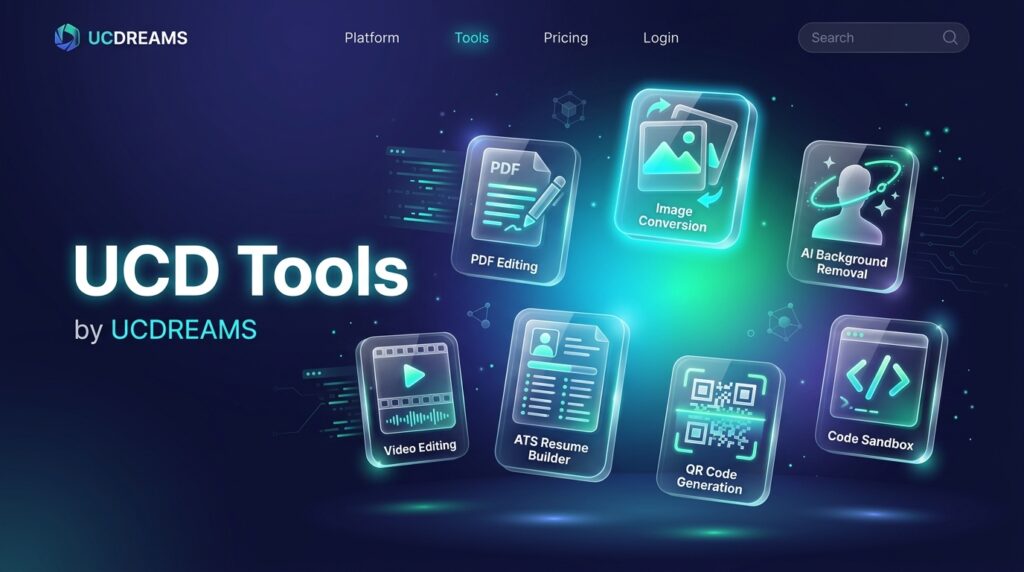
Need to handle complex document workflows beyond standard PDF editing? The UCD Tools Hub includes a full set of specialized, free document utilities:
- PDF Merger: Drag multiple PDF reports, invoices, or scanned receipts, arrange their order, and merge them into one organized PDF file.
- PDF Unlocker: Remove forgotten printing, editing, and copying restrictions from protected PDF documents.
- Document Converter: Convert documents seamlessly across PDF, Microsoft Word (.docx), TXT, RTF, and HTML formats without layout breakage.
- DOCX Word Editor: Open and edit Microsoft Word documents directly in your browser with full formatting controls without needing a Microsoft 365 license.
- LaTeX to PDF Live Editor: Ideal for students, researchers, and engineers — write mathematical formulas and technical papers with real-time compilation into academic PDFs.
Frequently Asked Questions (FAQ)
Is UCD PDF Editor really free without watermarks?
Yes. Every feature — including text editing, digital signatures, image insertion, page rotation, and exporting — is 100% free with zero watermarks. You will never be prompted for a credit card or subscription.
Are my sensitive PDF documents uploaded or stored on your servers?
No. UCD PDF Editor uses client-side WebAssembly and JavaScript. All document rendering and edits happen directly in your browser’s local memory. Your files never touch external servers, making it safe for NDAs, legal agreements, and tax forms.
Are digital signatures created with UCD PDF Editor legally binding?
Yes. Digital electronic signatures created on documents comply with the basic requirements of the US ESIGN Act, UETA, and eIDAS (EU) regulations for standard business agreements, client contracts, and vendor approvals.
Can I use UCD PDF Editor on mobile phones and tablets?
Yes. The editor is fully responsive and optimized for touch interactions on iPhone (iOS Safari), iPad, Android smartphones, and tablets.
Start Editing Your PDFs for Free Today
Say goodbye to overpriced subscriptions, watermark traps, and mandatory sign-ups. Complete your document workflows in seconds with UCD Tools by UCDREAMS:
To explore more free creative utilities, image converters, and developer sandboxes, visit the UCDREAMS Tools Hub or learn about our custom web development solutions at UCDREAMS.com.